
DOCKORA · macOS
In preparation for the Mac App Store
Your tools, organised by context.
Dockora adds additional, customisable panels to macOS for bringing together the applications, files and folders used for a project or activity. Each panel can be positioned and adjusted around a workspace, including across different displays.
- Status
- In preparation for the Mac App Store
- macOS
- Requires macOS 26.2 or later.
01 / The result
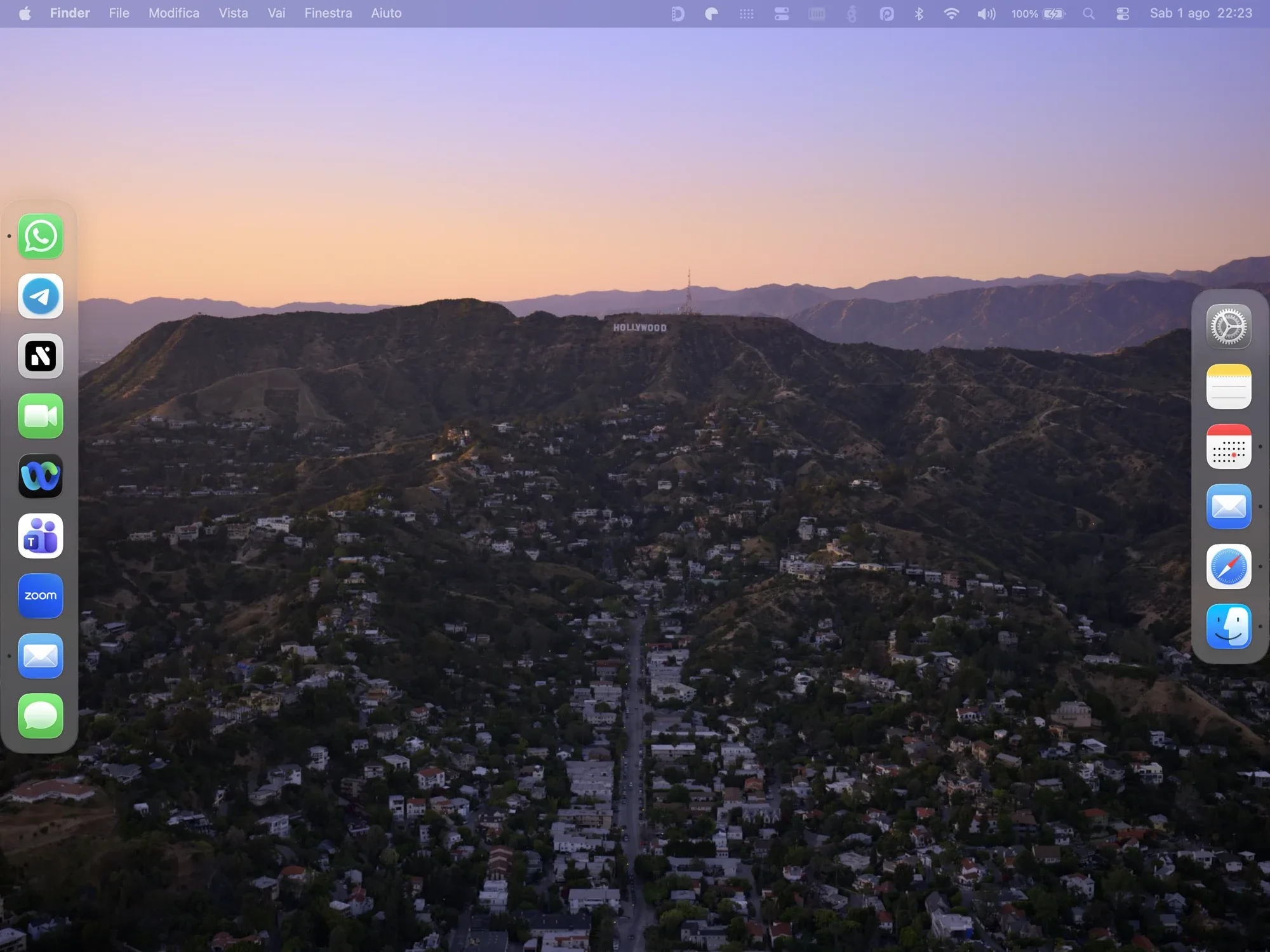
Dockora / 01—03
A space for every activity. In the right place, on the right display.
- 01
A space for every activity.
One panel can hold work tools, another creative applications, and another frequently used files and folders. You decide what to add, how to arrange it and when to remove it.
- 02
In the right place, on the right display.
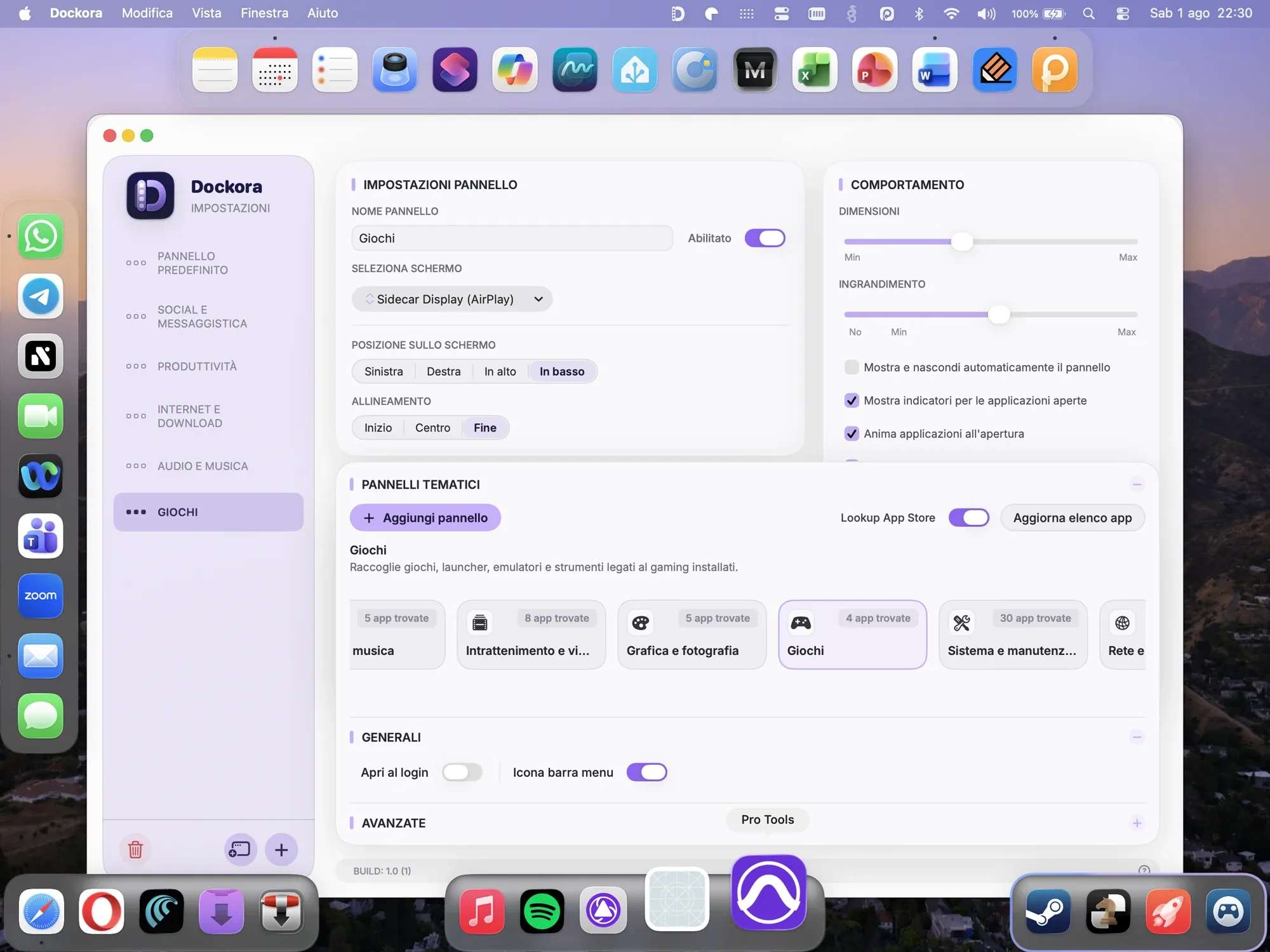
Position, alignment, icon size, magnification and auto-hide let each panel adapt to its context. Multi-display support places it in the workspace where it is actually useful.
- 03
A quick starting point, then your own organisation.
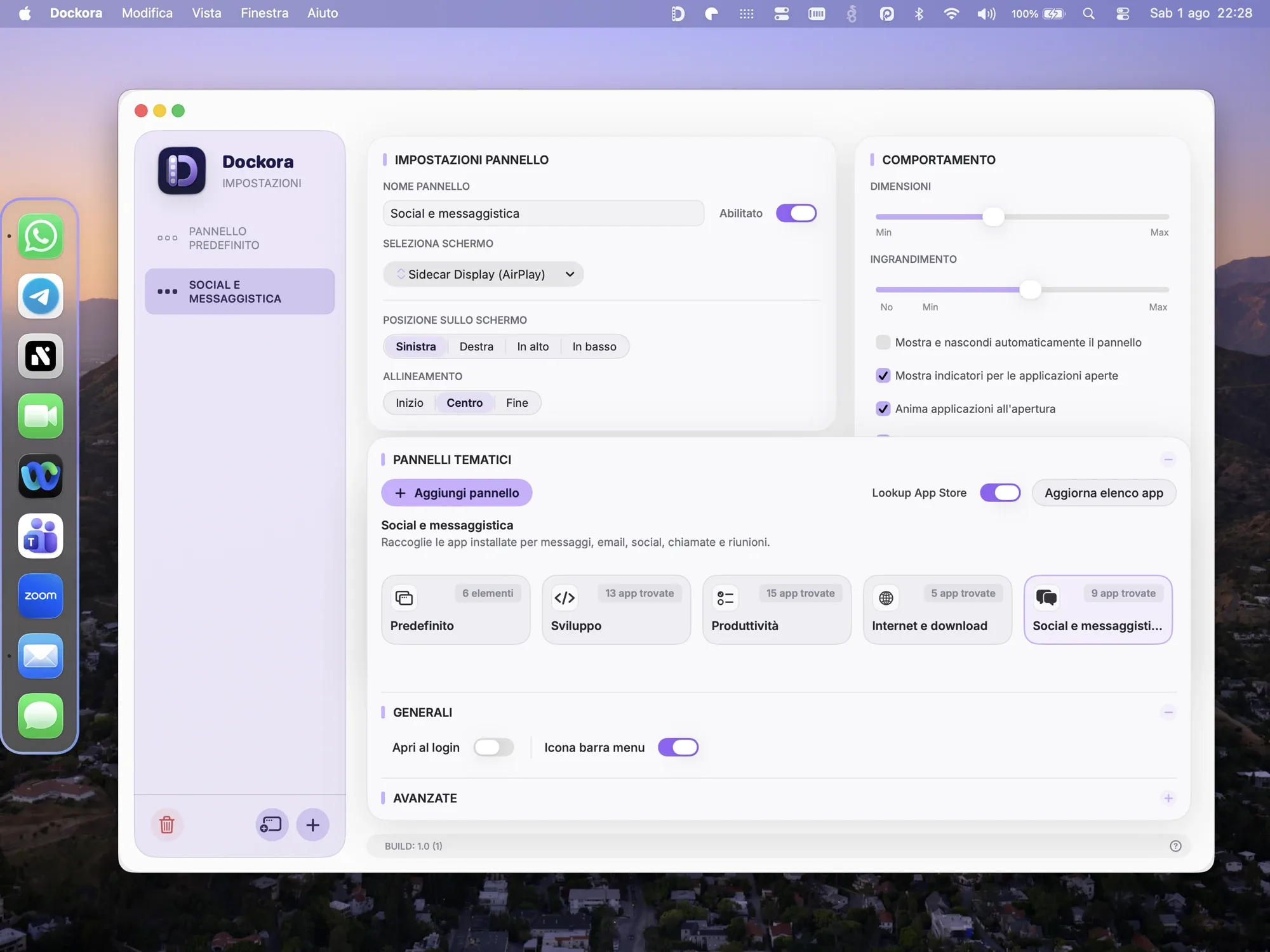
Templates based on installed applications help create an initial structure. From there, each panel can be reordered and customised, while labels and running-app indicators keep the context clear. If you choose, Dockora can launch at login and stay available from the menu bar.
02 / Configuration
03 / Thematic panels
Designed to complement macOS.
Dockora is an independent application. It does not replace or modify the Dock, desktop or macOS, and it is not an Apple product. It provides an additional way to organise items using mechanisms provided by the system.
Privacy
Core features stay on the Mac.
Configurations, panels and references to selected items are handled locally. No account is required and, in the current configuration, Dockora uses no advertising tracking, external analytics or external crash reporting. An optional Apple lookup used to improve some templates can be enabled by the user.
Apple, Mac, macOS and Mac App Store are trademarks of Apple Inc. Dockora is an independent application and is not affiliated with, sponsored by or endorsed by Apple.